 Veggies First
How to stop doomscrolling: do one thing first
November 25, 2026
You stop doomscrolling by putting something in front of the scroll. Don’t try to scroll less. Decide what has to be done before the apps open, and make the phone hold you to it.
That’s what Veggies First does. It’s an iPhone to-do list joined to your screen time: the apps you scroll stay locked until you’ve done something on your list, and once the list is clear they’re open for the rest of the day.
Why trying harder doesn’t work
A feed has no end. Nothing in it says “this is a good place to stop”, so you’re left to stop yourself, usually late at night with the phone already in your hand. A rule you made earlier in the day works better than willpower you have to find in the moment.
How Veggies First does it
Your to-dos for the day are “veggies”. The apps you scroll are “dessert”: you pick single apps, whole categories or websites.
- Locked until you do something. While a veggie is left on today’s list, a dessert app shows a lock screen instead of opening. The lock screen lists what’s left to do.
- Finishing earns time. Each veggie you finish earns coins (the app calls them DDC). One coin is one minute in a dessert app, counted as minutes you really use.
- A built-in stopping point. Dessert comes in sessions. When one is used up, dessert takes a short break before the next can start, so the feed gets the end it doesn’t have by itself.
- Clear the list, and you’re done. Finish every veggie and dessert is open for the rest of the day.
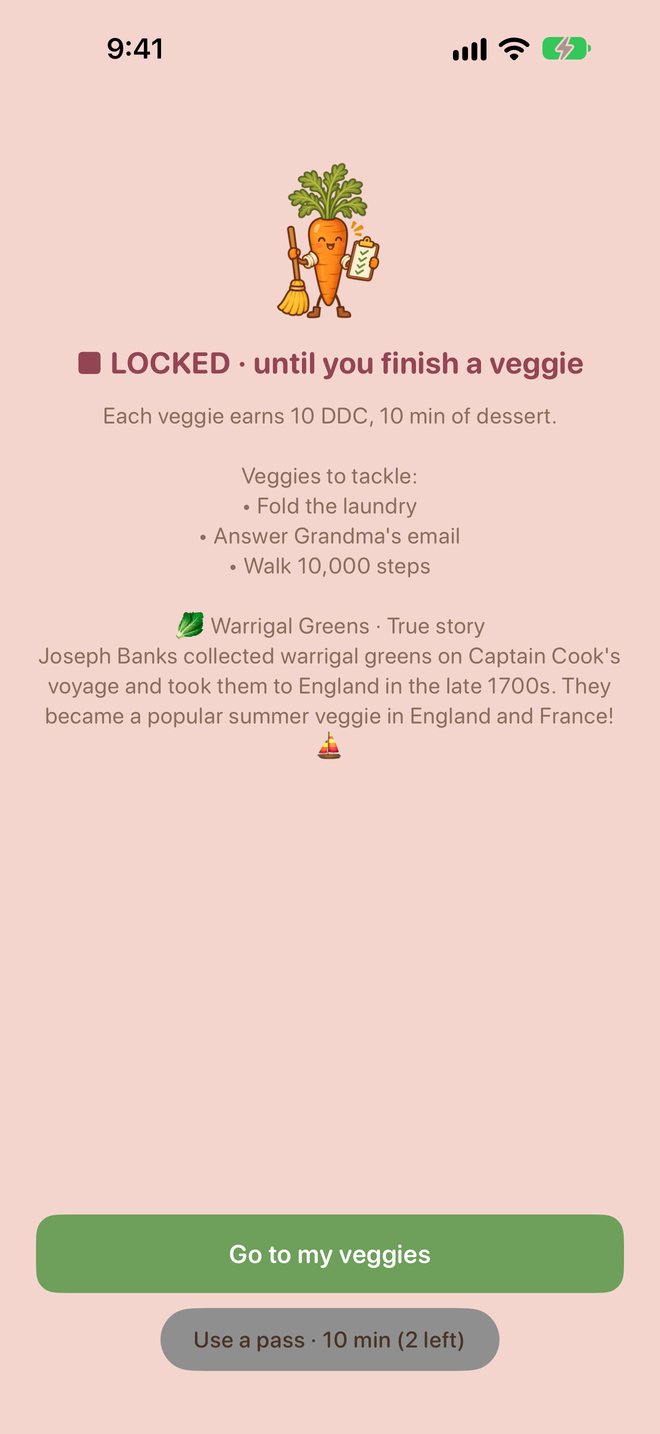
It’s hard to talk your way around late at night. Changes to what a veggie earns or how long a session lasts start at midnight, not right away. And it isn’t a ban: there are a few passes for the days you need one.
What the iPhone can do by itself
Two built-in settings are worth knowing about.
You can set a daily time allowance in Screen Time for the kinds of apps you scroll. It says how long you can scroll, but not when, so the time can all go on putting off the thing you meant to do. Veggies First turns it round: the apps open because you did the thing.
You can also turn off an app’s notifications, which removes the nudges that start a lot of scrolling. That makes the phone quieter. It doesn’t help once the app is open, and that’s where sessions and breaks come in.
Where to start
Write tomorrow’s list tonight, three things at most. Pick the two or three apps you scroll most as dessert. Tomorrow, the first scroll of the day comes after the first thing on the list.